Been Getting Into Linux Lately
November 21, 2025
For a few years now, I've been considering making the switch over to Linux. I ended up putting a pin in it for a while, but earlier this year I decided to drop a new SSD in my old laptop and used that to try & learn more about it.
Right now I'm test driving Kubuntu 25.10, and for the most part it's been great. I still have things I want to test out, but for now, why not talk about my experiences so far?
Why I want to switch to Linux?
Switching has been on the back of my mind since 2021. I think a few Youtubers I used to watch used it and the idea of an OS that's more under my control than what you can get on Windows or Mac fascinated me. But I ended up staying on windows due to needing a few Windows-dependent things for college. Notably, the Adobe Suite (ewwww), and support for printers since my art workflow at the time was heavily dependent on them. But now, I've been out of college for 2 years, and my patience for modern Windows is wearing paper thin.
I don't like the lack of control over my system and how with each Windows version less options are in the user's hands. I still don't get why I had to buy a 3rd party software just to put my taskbar on top! (StartAllBack is great though. If you still have to be on Windows & have a few bucks to spare I highly recommend it for a more custom taskbar). I also don't like that I can run an update when I go to bed and wake up to a different looking system and new bloatware that I never asked for. Or that updates are forced regardless if you want it or not. I've even had default programs changed on me; around the time I'm writing this a Windows update set my word-docs to open in MS Office despite previously setting Libreoffice as my default...
Also, it's insulting & annoying that you get ads for office and copilot in a paid OS. Not even older Windows is safe; my dad's still running 10 and got full screen ads for Windows 11 up until it went EoL. Without a 3rd party tool the start menu's search thinks it's a good idea to search Bing for my local files. And while I haven't had this issue on 11, on Windows 10 my system would crash whenever it needed to do an update (and given it had an HDD at the time it was painfully slow to get back running afterwards).
There's also AI features being shoved down our throats. I will note, I have a very negative opinion against AI as is (illustration has been very negatively affected by gen-AI), so having it be advertised & forced upon me leaves a very sour taste in my mouth. Windows isn't the most privacy-conscious OS as is, but I'm very unsettled by the fact Microsoft decided it was a good idea to add Recall, a feature that uses 'ai technology' to take snapshots of your desktop in an era where tech giants like them couldn't give two shits about data security. And also, why does MSpaint and Notepad have Copilot functionality? If you're adding AI to basic software you've really lost the plot.
In the past I haven't seen much in regards to artists on Linux. I imagine it's because a lot of industry standard software like the Adobe Suite doesn't have Linux versions, as well as needing to be more comfortable doing system maintenance in some cases. Something I've noticed when it comes to illustrators and tech is we tend to prefer stability, ease of use, and not having our tech get in the way of doing art. And even long-term Linux artists have had consistent issues getting their software running (for example; David Revoy's Debian 12 guide notes a few major issues he ran into from the perspective of a professional artist, especially in regards to X11 vs Wayland). It's why you see a lot of artists prefer Apple products. While plauged with their own set of limitations, they're very stable in terms of art software. Between all the reasons I listed, it's not a huge surprise most of us end up staying on Windows and Mac.
Though beyond creative fields, many people are looking to switch over. Whether it's apathy towards the state of modern Windows, wanting to keep older hardware alive post Windows 10, an ethical concern, or just out of curiosity. I imagine we'll be seeing more artists hop over as well. As for me, I'm not in a position where I absolutely need Windows software for my art, and many of my most used programs are Windows ports of Linux software. So I think it's worth seeing what it's like.
Choosing a Distro
Before dropping it on my current laptop, I decided to dig out and put it on my previous one first. I backed up my most critical files off my old HDD, dropped a new SSD in, and install a distro.
I also made note of all the things I want in a distro, my main ones being:
- I'm prioritizing art & productivity in terms of my usecase. Entertainment is a bonus, but I think use as a workstation should come first.
- For the most part, I'd like stability. I'm looking at Debian-based distros.
- I consider myself a computer novice, but I'm ok learning more technical stuff & using the terminal as I need it.
- My main computer is a Lenovo Legion 5 (2021 ryzen 7 5800H / nvidia RTX 3050 model). I'm planning on dualbooting Windows & my distro of choice as I slowly switch over.
So off the bat, no Arch-based distros. Maybe for a secondary PC, but for a workstation I'd like to minimize the amount of system maintenance I'd have to do.
I ended up going with Kubuntu for my first one. Ubuntu is one of the most well known distros with an active community, which is good for finding guides and support on. It's also a stable distro with a set release schedule (every 6 months for STS, every 2 years for LTS), meaning I don't have to worry too much about instability. It also has a KDE flavor, which I wanted for access to both X11 and Wayland sessions, Dolphin's image previews, and the heavy customization. Really, the main complaint I have is Snap packages, which tend to be slower to load, have a proprietary distribution center, doesn't respect themes, and clutters your mount points. But compared to whatever's going on with Win-Slop these days this is a minor annoyance. And if Snaps (or Canonical) does anything that ticks me off, I'll keep my Ventoy drive on standby.
Other choices I'm keeping in mind:
- Linux Mint - Also very popular for being beginner friendly & stable, but I didn't like how Cinnamon felt compared to KDE.
- Debian - What Ubuntu & many other distros are based on. Known for being stable at the cost of having older packages. I might see about using this in the future once I'm more comfortable.
- NixOS - Not a beginner distro, but the ease of rollbacks & replicating your configuration on different setups is appealing. Also shares a name with my favorite IIDX character.
First Impressions
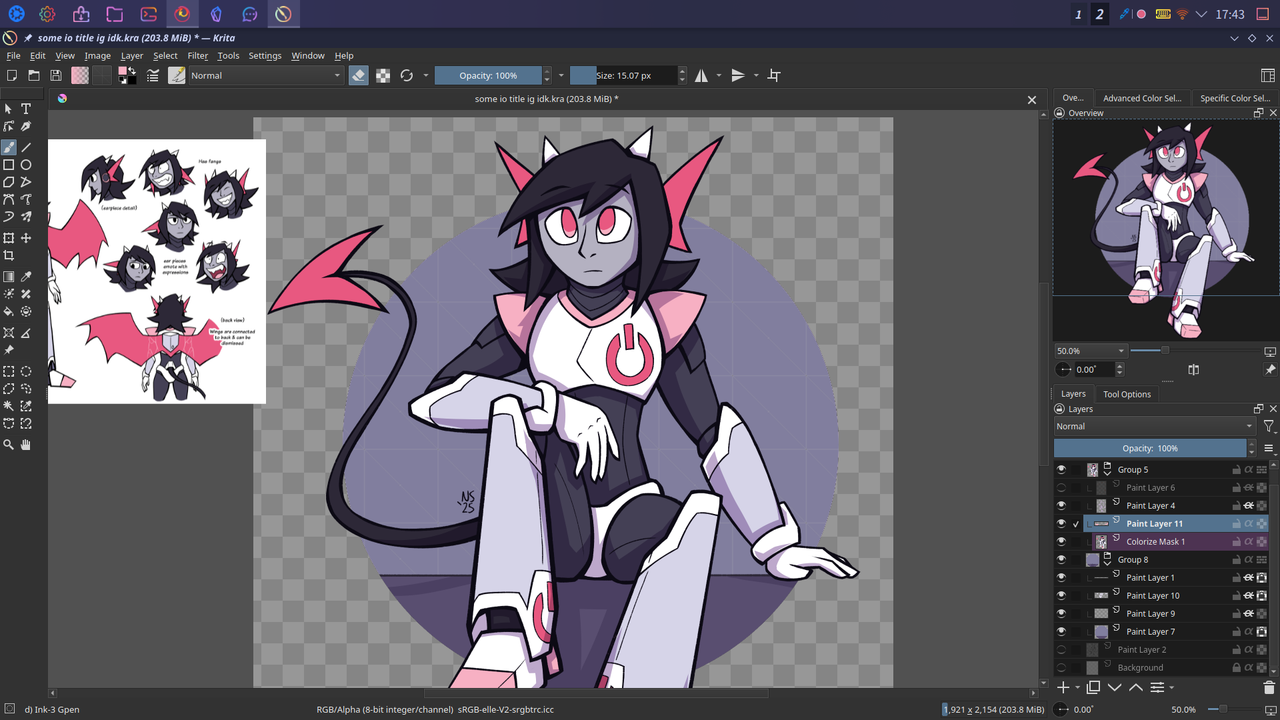
Krita running on Kubuntu, featuring an Io I drew to help catch any bugs.
For the most part, general productivity worked out of the box. There's honestly not much to say here outside of Obsidian just works, screenshot tools are ok (albeit not as robust as ShareX in my opinion), and I found a few other programs I liked. It was also cool to see some programs use my system's theme by default when I installed them (save for snaps and electron apps).
There are a few things I still need replacements for. Notably Musicbee, Media Go, and Bandizip. Musicbee is one of the most fully featured music players I've used and it's sad to let go, but I think splitting what I used it for between multiple programs is the best solution. Media Go is for some ungodly reason the only thing I've been able to get working for transferring music to my Walkmans. But I imagine there's a FOSS tool out there that does the job decent enough. And Bandizip has a singular niche use for me; extracting Japanese locale zips for BMS to avoid file corruptions. But I'll save that problem for another day.
Illustration Tools
This one took a while to get around to testing. I've been creative blocked for most of this year. So in all irony, despite being one of my main priorities in switching over, creative use fell to the wayside in terms of testing. But I'll at least test my most critical art tools, since I feel whether or not I can make illustrations on Linux is a major player in my migration.
Concerns
Linux is infamous among creators for both not having native versions of industry standard (or otherwise popular) software. Such as the Adobe suite and Clip Studio Paint. But as a good investment on my part, I use free and/or open source software for my art, all of them having native Linux versions. I went this route due to a mix of anticipating I'll switch over, and because my trust in many of the companies behind paid art software is pretty low.
The main thing I'm worried about is not software, but X11 and Wayland. I'm still unclear on some of the details here, but I'll try to summarize it the best I can. Both of these are display servers, which are what lets your computer display your programs on your screen. X11 is an older protocol, which overtime became difficult to maintain for modern computer needs (ex: it struggles with multi-monitor setups), and has a handful of security issues. Wayland is a more modern display protocol that does things like multi-monitor support better and fixes many of the security problems. But due to how it's written, the support for things like color management and graphics tablets aren't built into Wayland, and it's up to desktop environments like KDE to develop the support themselves... and progress here has been slow-going, as many art applications & tools relevant to visual artists like color management are still catching up. (Krita, my main drawing program still runs best under X11).
Right now, Linux seems to be in a transitional period with some of the popular desktop environments looking to phase out X11 for Wayland (as of writing, GNOME has fully depreciated X11, KDE requires it to be installed as a separate package, and some newer desktop enviroments & window managers are developed to be Wayland-only from the start). Basic productivity isn't affected, gaming seems to be fine too. But as a visual artist it leaves me feeling like I picked a bad time to start the switch. It's hard to not feel jealous of linux gamers here, seeing so much progress on that front & then looking at the state for artists and seeing it in a mess.
But I still want to give it a fighting chance. Bouncing off being wary of certain art software companies, I feel like artists are constantly trapped in using tools that are more interested in squeezing out profits than supporting our work. It's a complex problem that goes beyond being able to use Linux; many professionals can't drop Adobe for example due to so many creative jobs having it deeply ingrained in their pipelines. I'm currently not doing art as a career, so I have the luxury of being able to experiment with the Linux for illustration. I think I want to try documenting this & the solutions I've come across more closely. While I don't think my test runs will do much for the wider professional world right now (as much as I want it to), I at least want to be able to help out hobbyists, beginners, indie creators who aren't bound to Windows/Mac software. (no promises on the last part though... I still need to brush up on my writing & troubleshooting skills and work on my social anxiety first).
For a hardware concern, there's also my main laptop having an NVIDIA GPU. The drivers for NVIDIA are notoriously fussy on Linux (especially in a Wayland session). The situation has improved since I first started researching Linux, but it is something I have a feeling I'll be fighting a lot with in the future. My testing laptop has an AMD GPU, which plays nicer with Linux, so this part remains untested.
Open Tablet Driver
My current tablet is the XP Pen Innovator 16. The built-in tablet support on KDE didn't detect it by default, but setting up Open Tablet Driver got it recognized. I started using OTD so I could hot-swap between tablets without having to purge my drivers each time (and then my Intuos died... still using it though). But I guess it made Linux set-up easier too.
There are a few quirks that I don't have on Windows. I wonder if these could be fixed by using the official XP pen drivers or using the X11 session... But I think it's worth noting anyways.
- The mouse cursor & the pen don't match up / register as separate things? When I move the cursor with my tablet, it disappears when I lift it & when I use my regular mouse afterwards it returns to the last point I used said mouse at... A minor inconvenience that'll take some time to get used to
- In Firefox, my tablet clashes with one of my browser plugins; Yomitan. Selecting any text with my tablet will cause the pop-up dictionary to come up (accidentally selecting text happens pretty frequently to the point it's an annoyance.) Not a huge issue with my monitor, I use a stand-alone mouse with it. But it could clash with pad tablets since I also use those as a full-on mouse replacement (But I can't test this since well, my Intuos is dead.)
- Sometimes when switching between Krita & other programs, the tablet will go unresponsive for a few seconds. I'll have to investigate this further since it's inconsistent & likely the result of running an unoptimized setup. I imagine I could fix it by using offical drivers + X11, but I'm also curious on which thing specifically's causing the issue (could be useful to know some day)
Krita
My main drawing program of over 10 years. As noted earlier, Krita runs better under X11. Under Wayland, it runs via a compatibility layer called xwayland which could introduce bugs and performance issues.
It's also recommended you use the appimage version provided on their site. These are a portable software package format with all it's needed dependencies bundled into it, at the cost of not integrating with your system by default. The reason you want to use Krita as an appimage vs the one in your distro's repositories (or even other sandboxed formats like flatpak and snap) is the amount of dependencies can be difficult for package maintainers to handle, leading to those versions being older or not as functional. For example, Shortcut Composer, my favorite Krita plugin only runs in the appimage version.
For getting up and running, the main bugs I ran into was the aforementioned tablet issue, and some lag when using the transform tool (though this could be because I was using older hardware). It was a minor annoyance, but I think I'll just run it the correct way on my main system.
I imagine Krita will be the most important thing in helping me transition over to Linux. While I plan on dual booting, I think the convenience of being able to jump into illustration without having to switch back to Windows for stability will keep me on the Linux partition more often. Though I feel in order to properly test Krita functionality, I have to run this on my main set-up. That way I have a clearer frame of refrence between that my current Win11 install.
Hardware
I've already went over tablets, so what about my scanner? Or printers? (shudders)
My scanner is the Canon LiDE 400, and it works with no extra configuration for KDE's default scanner programs; Skanpage and Skanlite. Though you have to select the right option in order to avoid a laggy mess. In my system, it was the one labled 'USB'.
The printers... Ubuntu has a large selection of printer drivers out of the box, but the family office printer isn't one of them. And Canon's site is not very helpful (the onside 'install instructions' lead me to a copy of the license for some reason). The Epson I haven't tried yet due to wanting to conserve ink on that one (I'll get over myself eventually though). Eventually, I'll need to have a solution as I need printer access for physical zine making. I also do a lot of crafting, and many projects make use of printables. But if it comes to needing a new printer, that's way too expensive to solve right now. The temporary solutions here are;
- Use printing services, or printers via a shop or library. Always good to keep tabs on these regardless. But it's extra time, and travel & may be too inconvenient for trouble shooting & quick crafts.
- Keep a Windows partition for printer use. Best option for home use, though it means extra time swapping between OSes (in addition to extra fighting with the printers)
- For the office printer, I can print files off a USB drive. Keeps me on Linux. But I can't do this on the Epson.
The way I'm coping with the latter is reminding myself that printers are evil, so of course they'll work better on evil OSes like Windows 11.
Other
Not as important to my work (currently), but these are a few other programs I'm keeping in mind;
- GIMP - Used for the few things Krita can't do (Handy for arranging Printables)
- Inkscape - Occasional vector graphics.
- Blender - Experimenting with. I heard some people had better performance on Linux than on Windows, but I imagine that varies from setup to setup
- Scribus - I actually hate this program; it's extremely clunky to use. But it's good to have it in my back pocket anyways for self-publishing needs
- Kdenlive - Likely won't see much use with my departure from Youtube, but in hopes that one day a fair video sharing platform emerges, I want to keep this around.
Overall, for my current use cases there hasn't been any major issues so far. Like I mentioned earlier, I want to keep tabs on this. Maybe I'll make more posts about my progress & some basic guides to help get people up-and-running once I'm more experienced. As well as see what I can do in terms of contributing feedback & continuing to troubleshoot areas I still need work on.
Aside from art and basic productivity, there's a few other computer needs I'm making note of. Notably my Japanese language learning tools, and entertainment.
The Japanese Language Learning Tools Gauntlet
I think that's the best way to describe this. Since I was art blocked when I first started testing, I instead started by installing my Japanese language learning tools. This was tedious. I talked about it in my 1 year of learning Japanese post, so I'll just repost what I said there:
Technically in modern Linux, you don't have to use the terminal if you don't want to. But nearly everything I wanted to try involved using the terminal. It's how I installed Anki based on their onsite guide. For the most part this one was painless.
Next was getting text and typing to work properly. On windows this was as simple as 'install the Japanese language pack'. I'm not sure about other desktop environments, but just adding a second language in KDE plasma didn't do anything but make my display text a mix of English and Japanese. So I ended up having to add the locale via the terminal, and I used Fctix5 as my keyboard with Mozc.
The worst one to setup was Manga OCR, a python-based OCR tool optimized for Manga. I think part of it is because it's not well documented, but there were more steps to get it running on Linux. I took notes on all the steps I've taken and wrote a guide on how to set this up due to how tedious it was for me.
And while this one isn't a complaint, most of the guides I've found for learning Japanese on Linux were centered around Arch. It's useful that it's out there, but it left me feeling lost at times on Kubuntu & I don't think it's worth switching distros for a tertiary use case of mine. Maybe I'll try on a secondary computer.
Entertainment
Entertainment is a low priority, as most of the things I can't do on Linux I can move over to another device I own. Like streaming services, which are notorious for either giving low quality streams or outright blocking Linux users (their excuse is preventing piracy which... I don't get how preventing people from using a service they paid for is going to make people want to throw money at them). Though I guess on the latter, I'm more of a physical/owning my media fan anyways. And if I really need HD Netflix streams, I could use the family PS5.
I know gaming on Linux is a big point of conversation, especially since it's one way to win over casual user crowds, and the situation has improved massively with Proton. Though the PC games I'm most interested in right now (BMS and Vintage Story) run without the need for compatibility layers. In terms of other games, I'll just be more deliberate on which ones I buy in the future to make sure I can use them with Wine or Proton, or see if they have a native version available.
Outside of that... Not too big of a concern here? Really the only major things affected by my OS of choice is video streaming services and gaming, and maybe blue rays (but I can dig out my PS4 for those). It's nice bonus I guess.
Final Thoughts
So I know what some people are wondering. Did I switch over to Linux? And the answer is... not yet. I want to migrate over, but I don't think it's a good idea to go cold turkey.
Before I drop Windows, I need to confirm everything I have works on both the hardware and software side. This is extra important if it's hardware related. Buying new hardware if the ones I have doesn't work on Linux is expensive, and requires a lot of research. And I'm uninterested in barring myself from Linux so I can use a printer, nor accidentally barring myself from using printers in my switch to Linux.
On the software side, I want to educate myself more on how to use Linux and do system maintenance as needed. And I also want to make sure I'm aware of major issues and work arounds I'll encounter so I don't have to spend too much time searching for solutions when I have a deadline. There's also the ongoing issue of creative software still catching up in the X11 to Wayland switch. I think these issues will be ironed out given time (especially as more Enviroments depreciate X11), but I'm expecting a rougher switch in the meantime.
This will likely be a long-term project in the background of my other goals. For now, I'm looking to dualboot Windows 11 and Linux on my main computer, and slowly move my work and entertainment needs over to the Linux partition. Ideally I'd like to be fully moved over by the end of 2027, though that depends on how fast I'm able to migrate, or if have something around that time that requires Windows. As of right now, the only thing I absolutely need it for is printer support. I imagine that will be a long term issue, but I guess taking a break from pursuing art as a career means I don't have to worry too much about physical self-publishing for now.
My experience so far has been mostly positive. I feel like it's re-sparked an interest in computers and there's something so rewarding about learning how to do something, and learning more about the OS I'm looking to switch to. I also feel it's a good educational experience with the amount I've learned along the way. There's a decent amount of things I like how they work on Linux/KDE/Kubuntu more than on Windows (though I miss Win11's window tiling... the only good part of Win11). So for me, I think it's worth sticking around and seeing where this goes.
That being said, this blogpost is based on my experience on my secondary laptop, and I imagine due to different hardware & use cases my experience will differ on my main system. Still want to stick it out, and I think going forward I'll be running Linux on any secondary PC I have. But I still have to judge it as a daily driver. I think the next step now is work up the courage to crack open my main computer, add a second drive, and start.